Early access: AppSource review in progress
Build slides that hold up to executive scrutiny
SlideBrain understands your slides, then reviews the arguments, improves the content, and styles the charts. All inside PowerPoint.
Built by the team at Slide Science, trusted by thousands of corporate professionals from top firms.


Built on how consultants work
Action titles, MECE structure, message-first charts. The standards partner-level decks are held to, applied to yours.
Never leaves PowerPoint
A taskpane beside your slide. No exporting, no second app, no copying work back and forth to get an opinion.
Native, editable output
Every fix and every chart is real PowerPoint. Colleagues without SlideBrain can open and edit anything it touches.
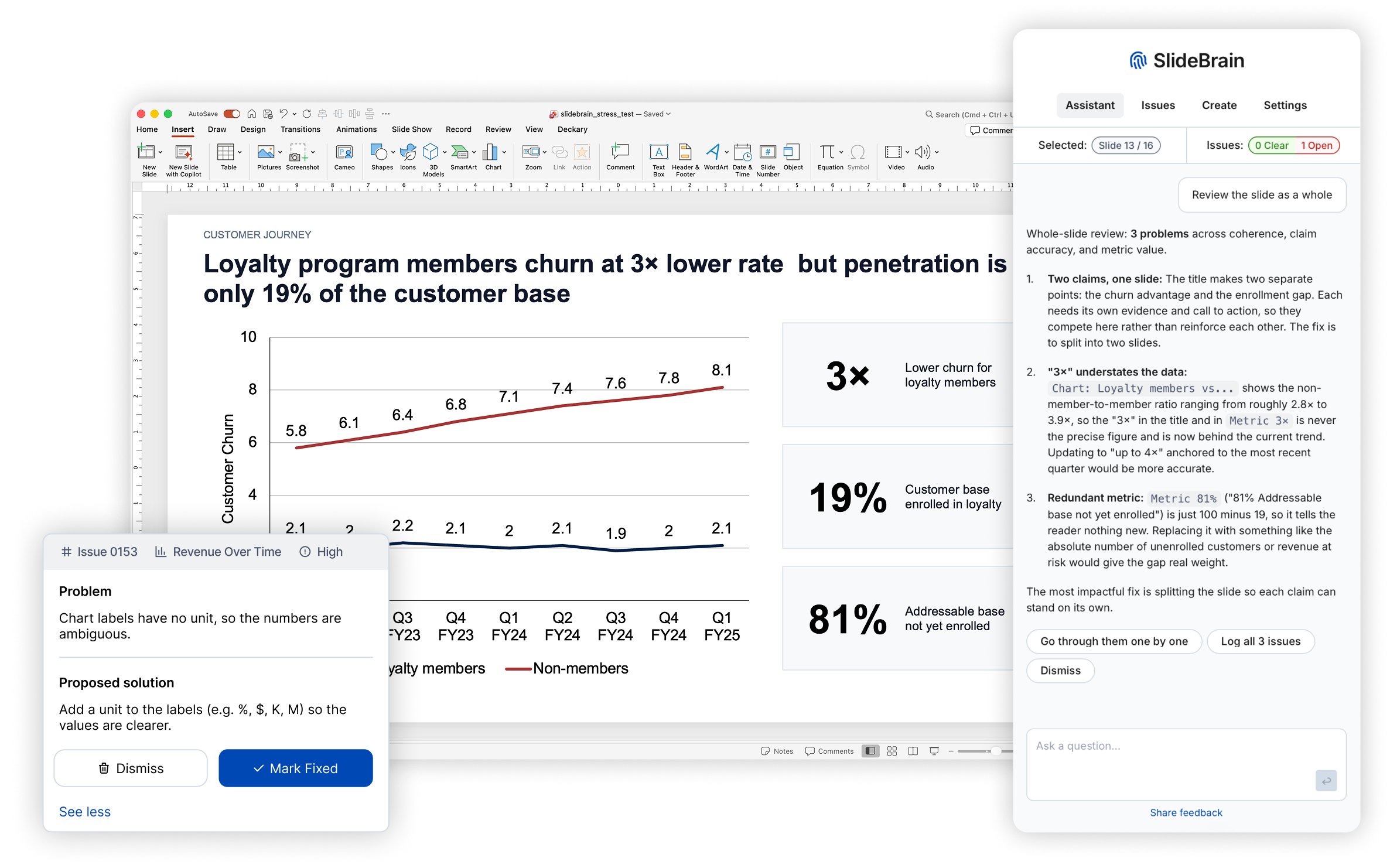
SlideBrain helps you go from a draft to a defensible slide deck
A smart assistant that helps you build high-stakes slides
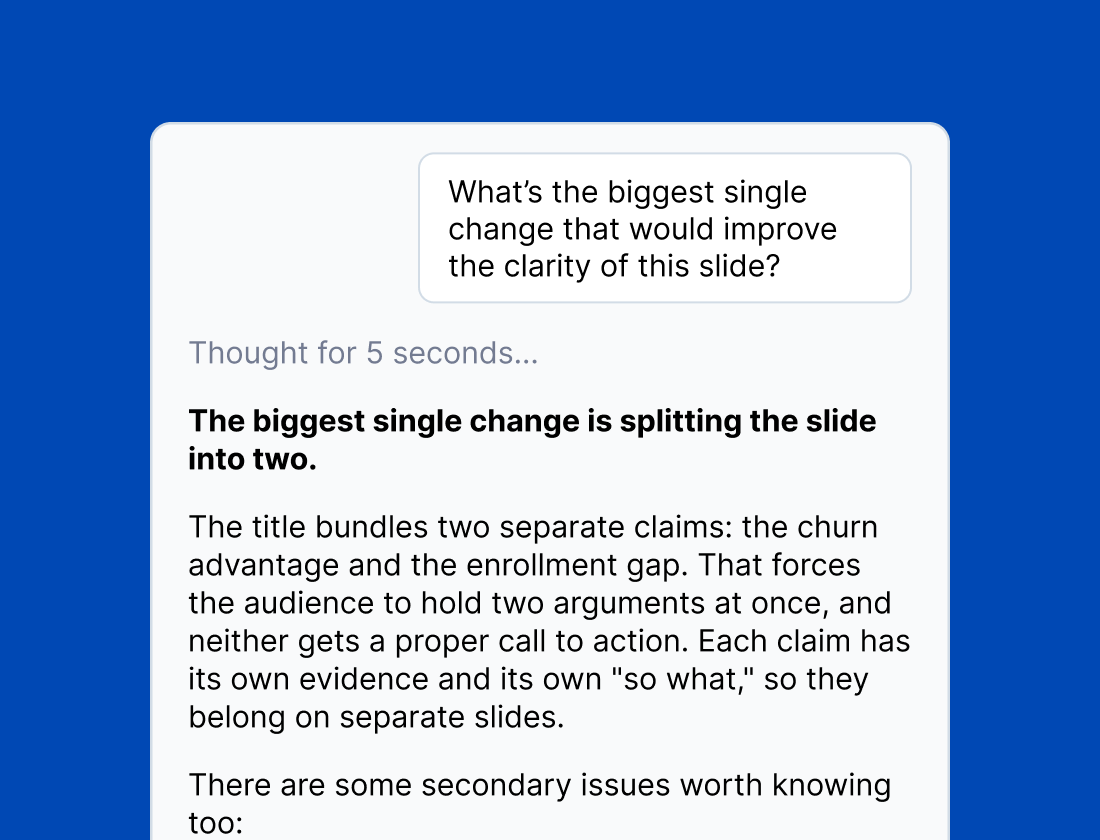
Your personal assistant that understands your slides like a consulting partner. Ask for a critique, request a suggestion, or discuss ways to improve the positioning and messaging.
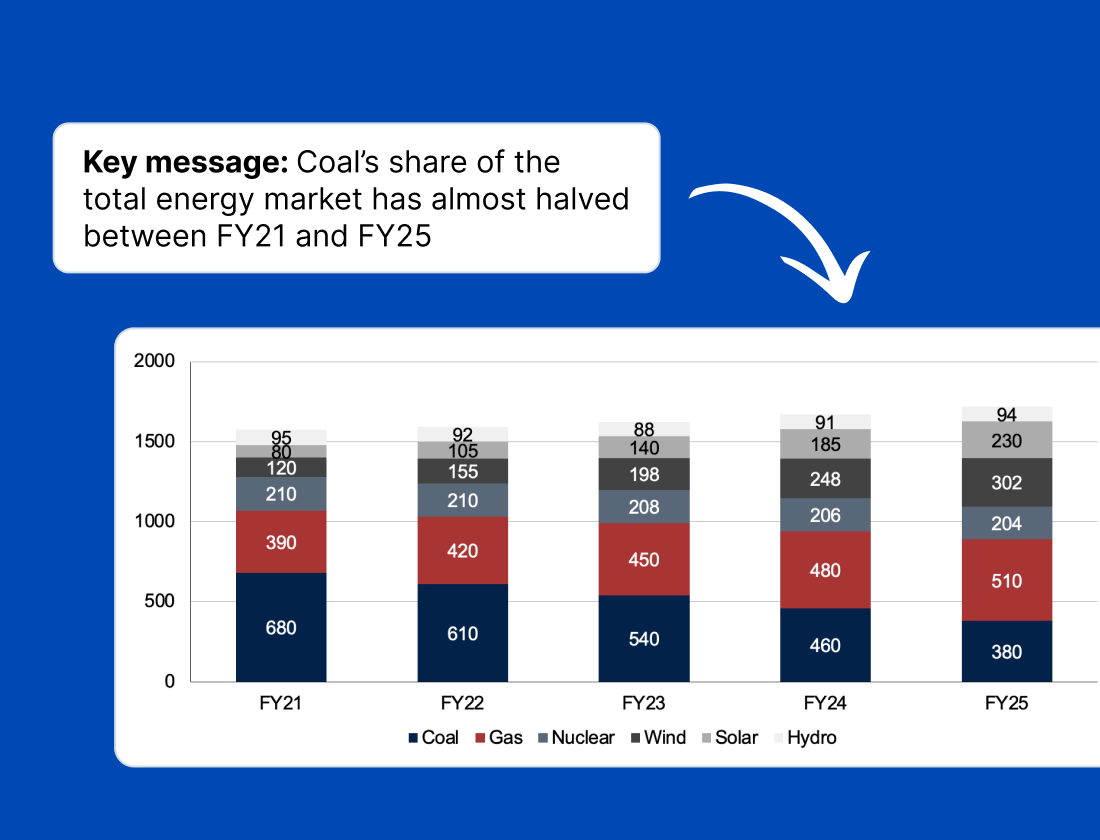
Build slides and charts with a few clicks
Tell SlideBrain what the slide needs to argue, hand it the data, and watch a finished slide take shape. You get a clean layout, sharp action title, and a perfect chart. All editable in PowerPoint.
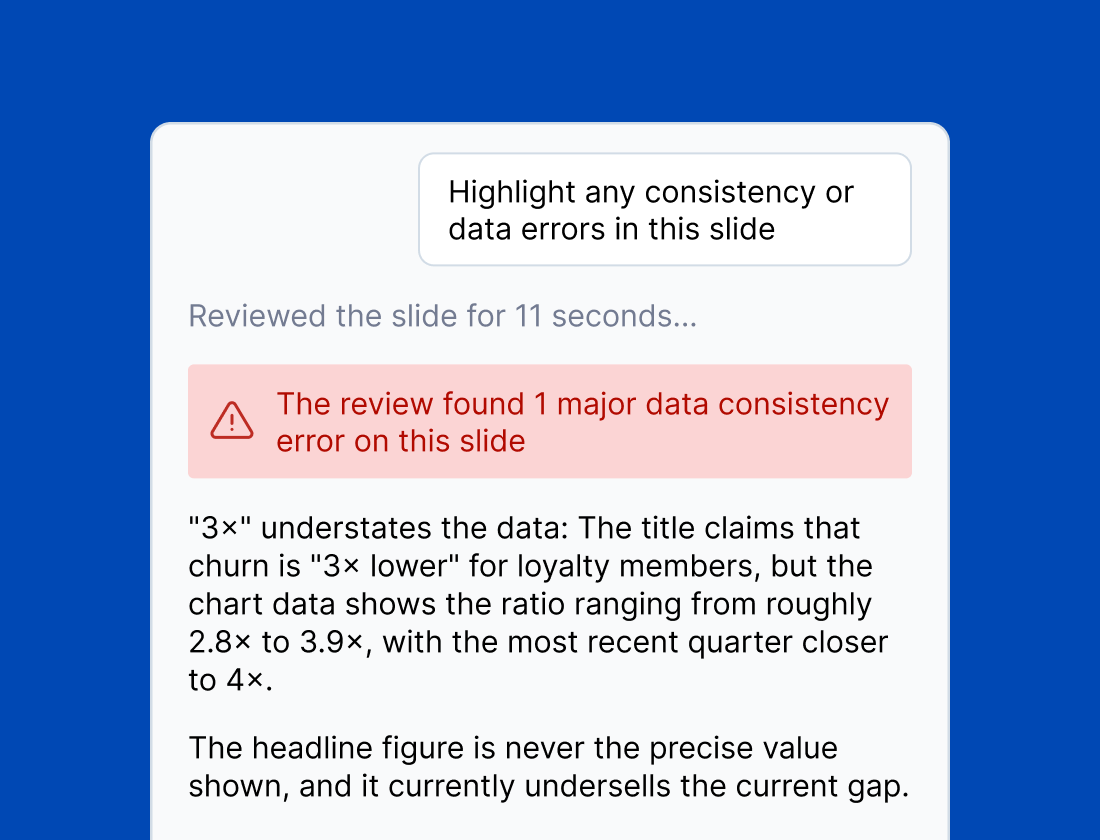
Catch errors before your stakeholders do
Interrogate your deck the way a sharp senior executive would. Check that action titles support the findings, charts prove their claims, and the numbers all add up. No more mistakes.
Identify issues and fix your slides with one click
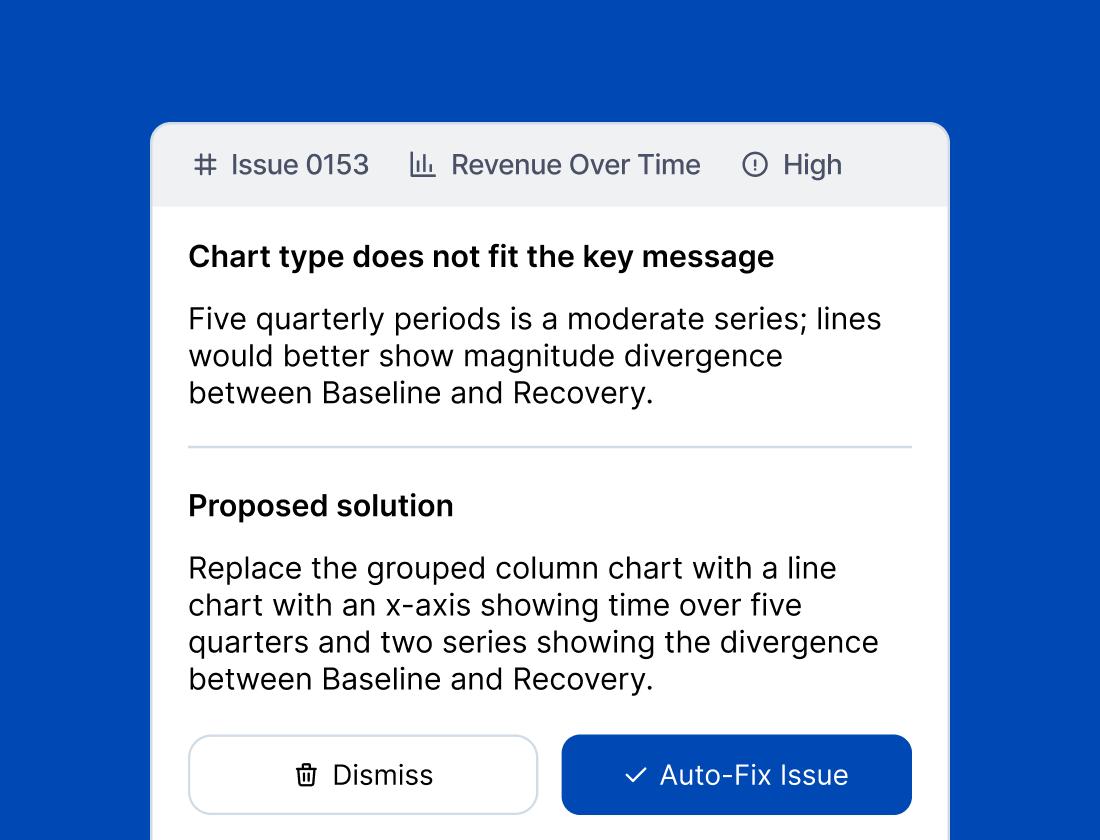
Track all findings in an issue log, where you can review the issue and the suggested fix. When you're ready, you can fix issues with one click.
Enterprise-grade security and privacy
Your deck stays on your machine
The file is never uploaded. Reading and understanding the deck happens locally, inside the add-in.
Your content is not training data
Nothing you send is used to train models, and nothing is retained beyond answering the request.
GDPR-compliant infrastructure
Accounts and infrastructure are hosted in the EU, and every AI request is processed under a data processing agreement.
Be first in when it goes live
Join the early access list and get the first opportunity to join the beta and to help shape the product.
Frequently asked questions
- What does joining the early access list get me?
- We will be running a beta program with a small number of early users. Joining the early access list gives you the first opportunity to join the beta and to help shape the product.
- Does SlideBrain upload my deck?
- No. Your file never leaves your machine. Only the specific content being reviewed is sent for AI review. Full details on the Security page.
- Which versions of PowerPoint does it work with?
- PowerPoint for Windows and Mac (Microsoft 365 desktop), plus PowerPoint on the web. Slide creation is desktop-only for now; review, chat and the issue log all work on the web.
- Does it work with our corporate template?
- Yes. SlideBrain works on the decks and templates you already use: it reads what's on the slide rather than imposing its own layouts, and edits stay inside your existing styling.
- Can colleagues without SlideBrain still edit the slides?
- Yes. Every fix, chart and generated slide is native PowerPoint. Nothing becomes an image or a locked object, and nothing breaks when the file is opened without the add-in.