
Expert AI tools for PowerPoint, tailored to your firm
Access a suite of customizable AI tools, curate a library of your best slides, and enforce your brand styles, all managed centrally and deployed to your team's PowerPoint.
From the creators of Slide Science, trusted by 60,000 professionals from firms like:


Smart AI tools
Roll out expert AI tools across your team
- Expert tools built on consulting best practice. Create charts, restyle, review, and audit numbers in one click, with no prompts to write.
- Tools built for your firm. Configure our tools to reflect the things that matter to your firm, or we can migrate your existing tools to the add-in.
- Every tool follows your rules. Charts come out in your palette and fonts, labels are written in your style, and text sounds like your firm's voice.
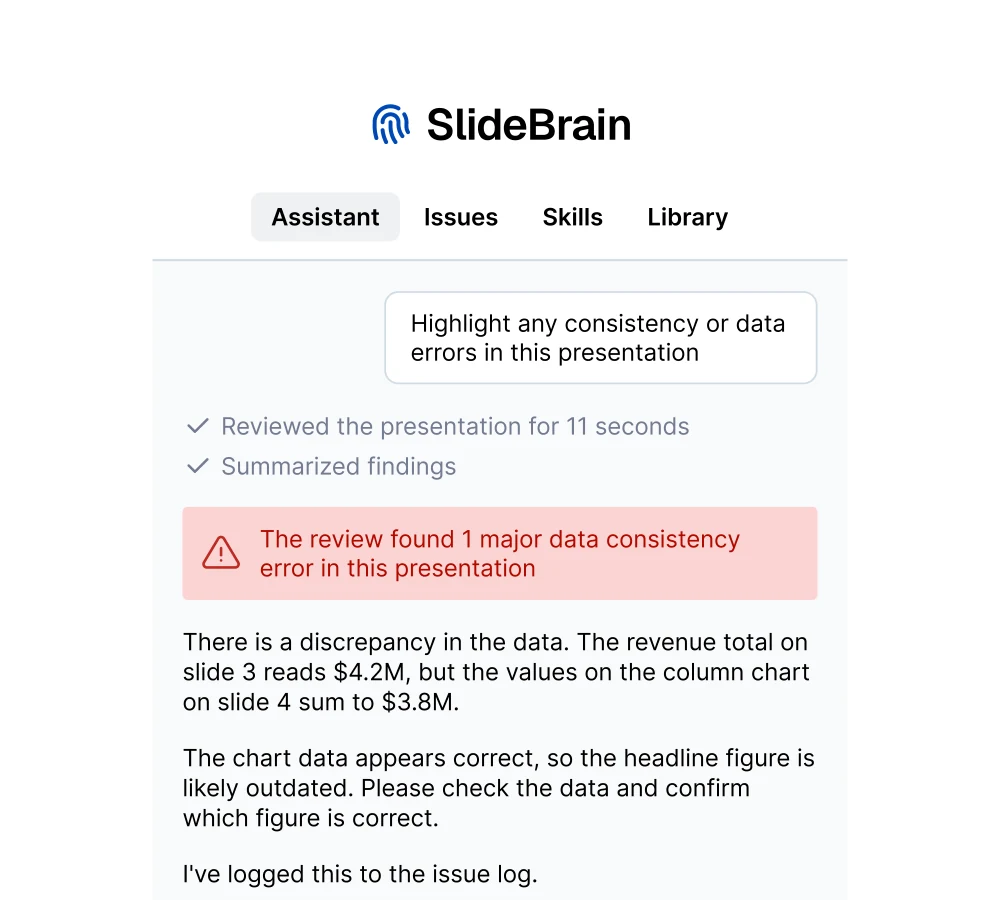
Reviews & quality control
Review and audit every deck before it ships
- Automated reviews that check your firm's rules. Reviews enforce your brand rules and styles, so every deck is consistent and accurate.
- One issue log, with a full audit trail. Every finding stays open until it's fixed, dismissed, or waived, and the log travels with the deck for sign-off.
- One-click fixes, nothing without your permission. Approve a fix and it's applied as native PowerPoint, re-checked, and logged.
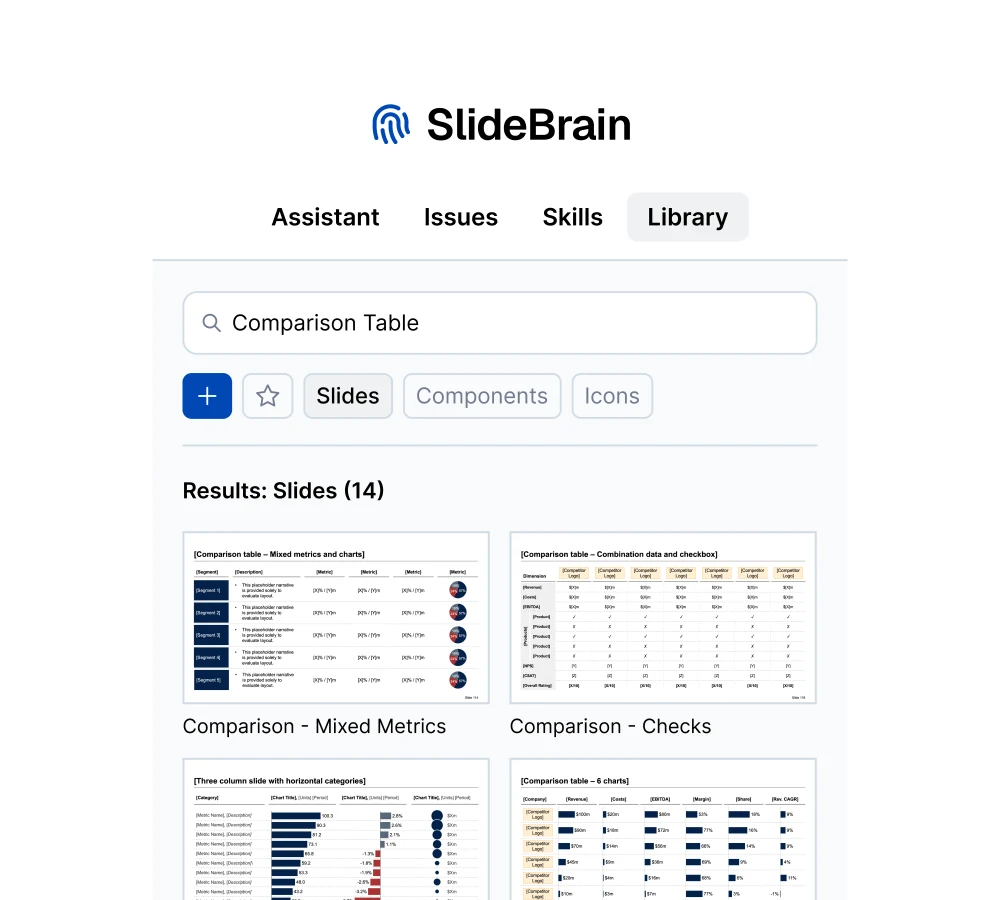
Component library
A shared central library of your firm's best assets
- Save your best work in one click. Whole slides or single elements go into your own library, and only what you choose is stored.
- Share approved work with the team. Admins curate the best into a firm-wide library, so nobody rebuilds a slide that already exists.
- Find it in plain English, drop it in clean. Search by meaning, then insert as native, editable PowerPoint, never as screenshots.
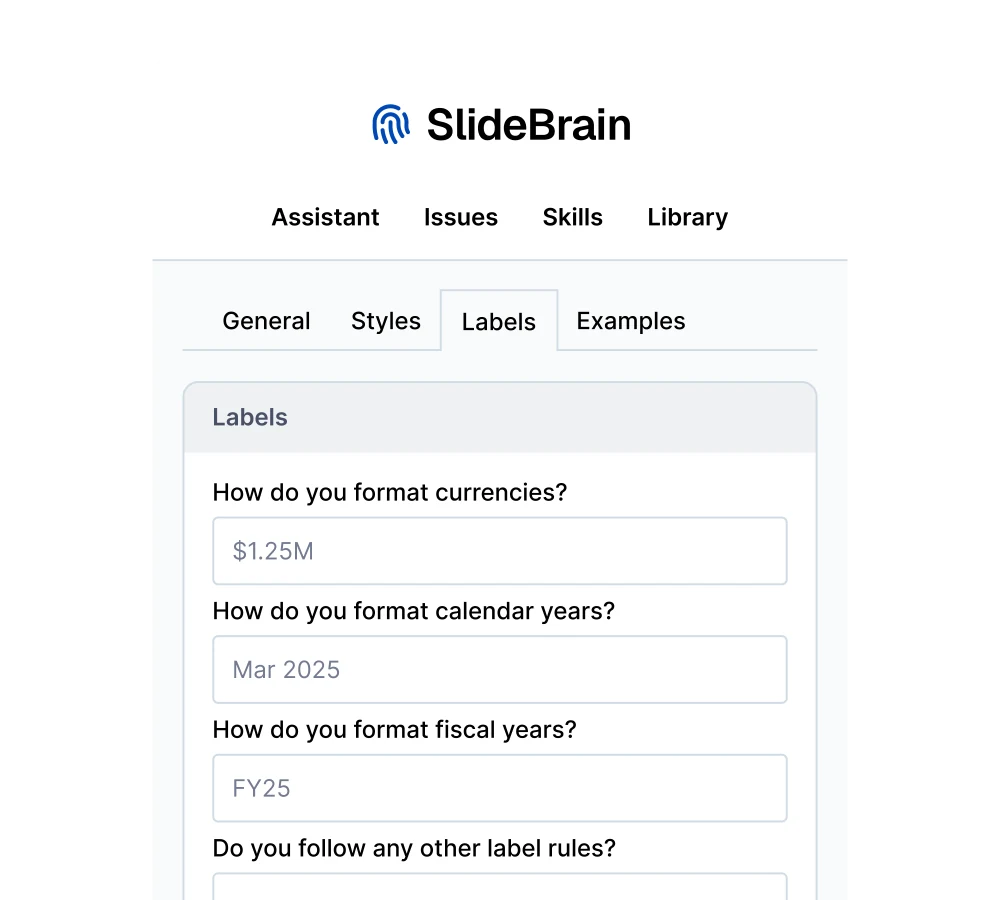
Brand compliance
Enforce your brand, voice, and standards in every deck
- Set your brand rules once. Colors, fonts, tone, language variant, label formats, and banned words.
- Every tool follows them. Charts come out on brand, drafts and reviews in your voice, and banned words are blocked before they reach the deck.
- Set centrally for the whole firm. Admins define the brand profile once for everyone, and lock what shouldn't change deck by deck.
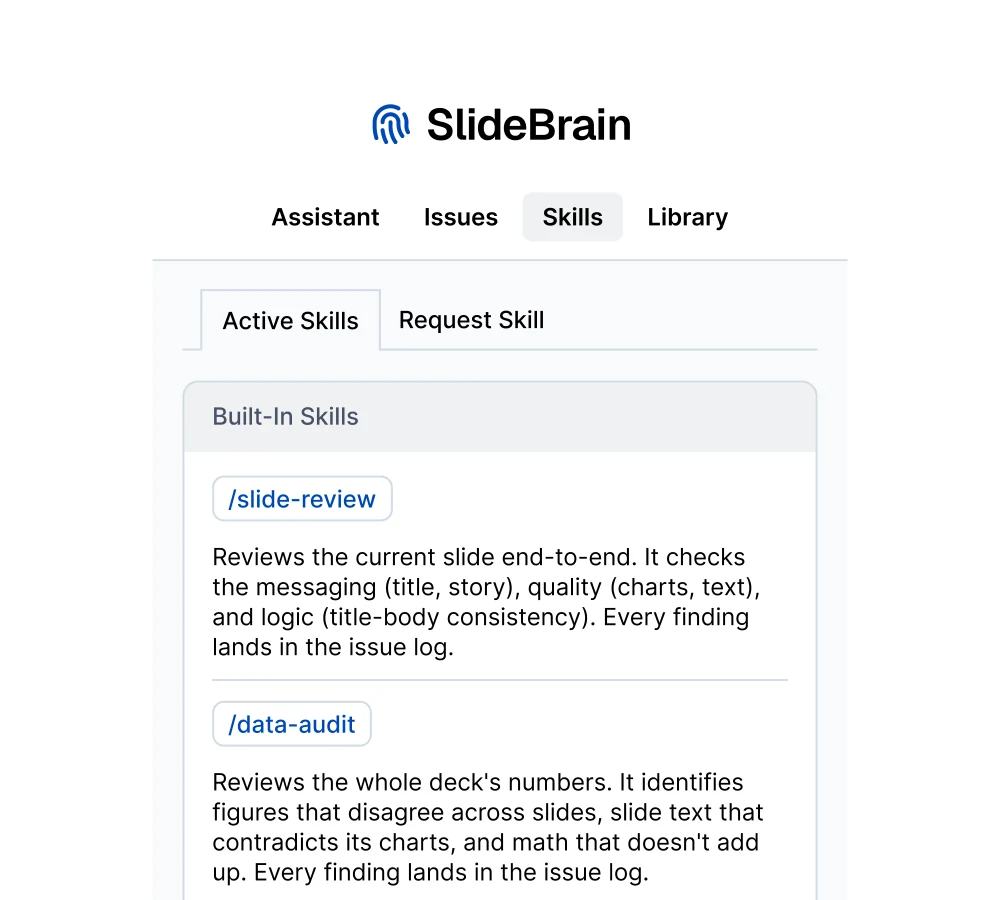
One standard way to use AI across your firm
Your whole team uses the same AI tools, built on consulting best practice and configured to your firm's standards, instead of everyone prompting their own way.
You keep full control. You set how the tools are configured and whether they can be overruled by your team members.
Security and compliance
Your deck is never stored and never trained on
Only the minimum leaves your machine
SlideBrain reads your deck inside PowerPoint and sends just what a task needs, a title, a chart's data, a description of the slide. Never the presentation file, slide images, speaker notes, or hidden slides.
Your slides are never stored
Your deck never sits on our servers, only the components you choose to save to your Library. Your decisions, what you fixed, dismissed, or waived, are logged in the deck itself as a permanent audit trail.
Never used to train AI
Nothing you send or we keep trains a model, ours or anyone's. Our AI provider processes your content under commercial API terms that prohibit training.
EU-hosted, yours to delete
Accounts, data, and AI processing all run in the EU. Delete saved components in the add-in any time, or ask us to erase your account and every record with it.
Enterprise essentials
Built for how firms buy and deploy
Team pricing
One monthly plan with usage pooled across your team.
Simple deployment
Low-touch roll-out through the software your team already runs.
Centralized billing
One invoice for the whole team, not a pile of card receipts to reconcile.
Security documentation
DPA, data-handling, and architecture docs ready for your security review.
Dedicated support
A direct line for your team, not a generic support queue.
White-glove onboarding
Send us your brand styles, templates, and rules, and we set up custom tools and libraries.
Pricing
Predictable monthly pricing, no surprise invoices
Start on your own, roll out across your firm, or have us set it all up for you.
Individual
$49 USD/month
Team
$399 USD/month
Done for you
Let's chat
For independent professionals. Self-serve, cancel anytime.
AI credits: 1,000/user
Includes 5 seats, $69/mo per extra seat, billed annually.
AI credits: 1,250/user
We customize and implement your brand for you.
AI credits: 1,500/user
Individual
$49 USD/month
For independent professionals. Self-serve, cancel anytime.
AI credits: 1,000/user
Smart AI tools
- Review slides for message, quality & logic
- Audit numbers across the whole deck
- Review & improve presentation storyline
- Restyle charts in one click
Quality control workflows
- Track every finding in an issue log
- Fix issues in one click
- Keep a change & audit log
Brand enforcement
- Set styles, colors & fonts
- Set tone of voice & banned words
- Set label formats
Component library
- Save slides
- Save elements & shapes
- Search in natural language
- Get smart recommendations
Team
$399 USD/month
Includes 5 seats, $69/mo per extra seat, billed annually.
AI credits: 1,250/user
Smart AI tools
- Review slides for message, quality & logic
- Audit numbers across the whole deck
- Review & improve presentation storyline
- Restyle charts in one click
Quality control workflows
- Track every finding in an issue log
- Fix issues in one click
- Keep a change & audit log
Brand enforcement
- Set styles, colors & fonts
- Set tone of voice & banned words
- Set label formats
Component library
- Save slides
- Save elements & shapes
- Search in natural language
- Get smart recommendations
Team standardization
- Configure & deploy shared AI tools
- Configure & enforce your brand standards
- Share firm-wide slide library
Management & admin
- Pool usage across the team
- Manage seats self-serve
- Get one invoice for the firm
Done for you
Let's chat
We customize and implement your brand for you.
AI credits: 1,500/user
Smart AI tools
- Review slides for message, quality & logic
- Audit numbers across the whole deck
- Review & improve presentation storyline
- Restyle charts in one click
Quality control workflows
- Track every finding in an issue log
- Fix issues in one click
- Keep a change & audit log
Brand enforcement
- Set styles, colors & fonts
- Set tone of voice & banned words
- Set label formats
Component library
- Save slides
- Save elements & shapes
- Search in natural language
- Get smart recommendations
Team standardization
- Configure & deploy shared AI tools
- Configure & enforce your brand standards
- Share firm-wide slide library
Management & admin
- Pool usage across the team
- Manage seats self-serve
- Get one invoice for the firm
Setup & support
- We migrate your existing AI tools
- We prepare & upload your team's library
- We configure your brand standards
- 24/7 dedicated support rep
Individual and Team include a free 7-day trial, no card required.
Frequently asked questions
Your questions, answered
Does SlideBrain upload or store my presentations?
No. Your deck is never stored on our servers. When you use an AI feature, the add-in sends only the minimum that task needs (a title, a chart's data) for processing in the EU, never the file, slide images, or notes. Your decisions are logged in the deck itself as a permanent audit trail, and nothing is ever used to train AI models.
Will my slides still work for colleagues without SlideBrain?
Yes. Everything SlideBrain creates or edits is a standard, editable PowerPoint object. No plugins required to view, edit, or present.
Can SlideBrain follow our firm's style guidelines?
Yes. Set your tone, banned words, label formats, and brand colors once; the assistant then writes and reviews to them, and banned words are enforced automatically.
I work on my own. Can I use SlideBrain?
Yes. The Individual plan is $49/month with a 7-day free trial, no card required.
See it on your decks
Start a free trial on your own, or book a call to see SlideBrain set up for your team.