
Smart AI tools
Expert AI tools that follow your brand rules and styles
Create, review, and restyle slides in one click. No prompts to write, and the same standard for everyone on your team.
From the creators of Slide Science, trusted by 60,000 professionals from firms like:


Expert AI tools built on consulting best practice
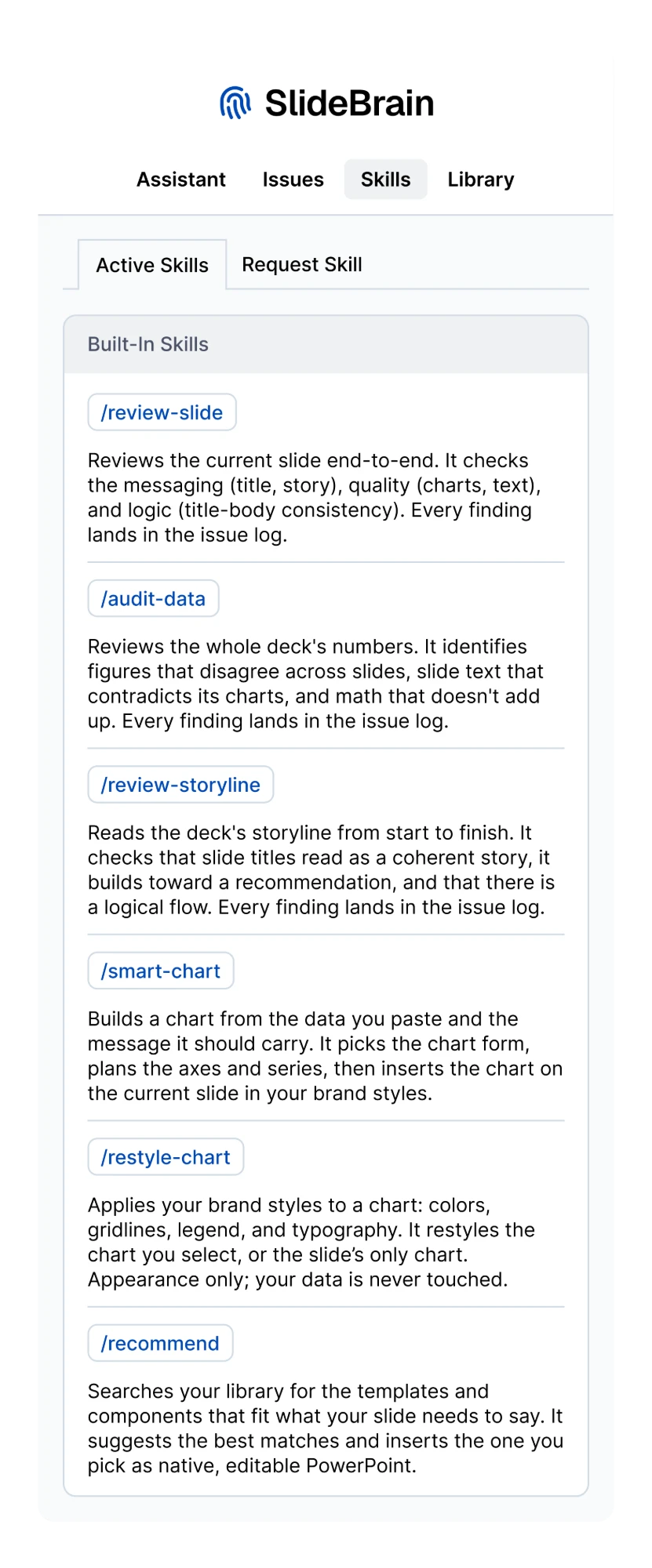
/smart-chartCreate a smart chart
Picks the right chart for your point, then designs and inserts it on brand.
/recommendRecommend from the library
Searches your library and suggests the templates and components that fit.
/restyle-chartApply your brand styles
Restyles the colors, gridlines, legend, and type to your brand. Your data is never touched.
/review-slideReview the current slide
Checks the title, story, charts, and text, and flags where they don't line up.
/review-storylineReview the storyline
Reviews the clarity and flow of your presentation's storyline against the deck's purpose and audience.
/audit-dataAudit the deck's numbers
Scans your presentation for inconsistent numbers and math that doesn't add up.
Your tools
Configure our tools, or create your own
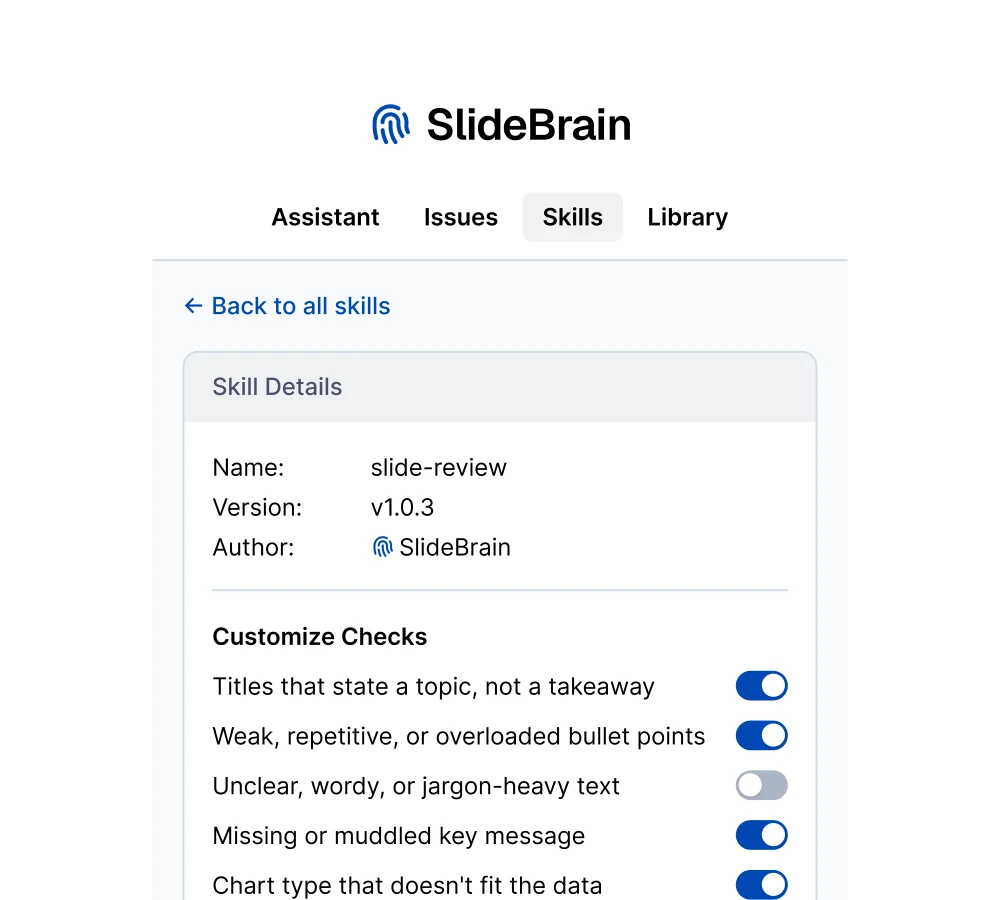
- Configure our tools. Adjust each built-in tool to your firm's preferences and way of working. In development
- Create tools for your firm. Send us your workflows and the prompts your team already relies on, and we build them into expert tools.
- Rolled out to everyone. Your tools reach the whole team, so everyone works the same way to the same standard.
Your rules
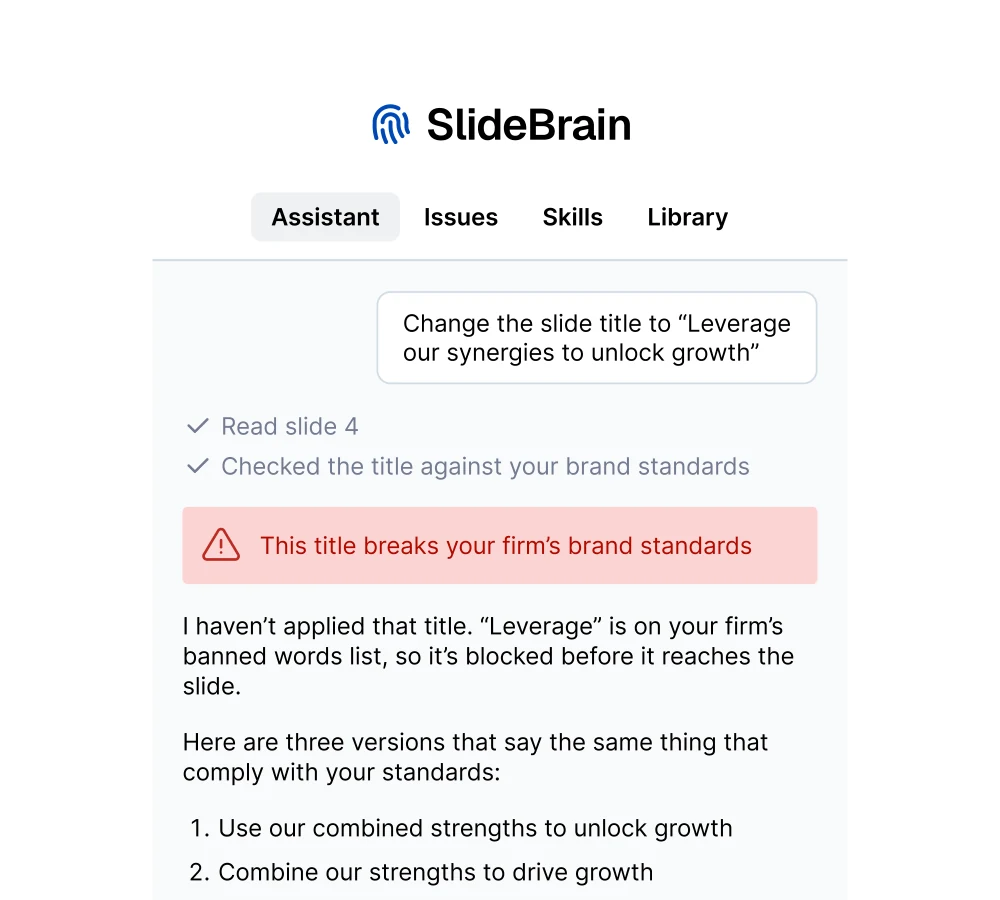
All tools follow your firm's rules and standards
- On brand by default. Charts come out in your palette and fonts, labels are written in your style, and text sounds like your firm's voice.
- Written in your voice. Drafts and reviews follow your tone, language variant, and label formats.
- Banned words blocked. When the assistant writes to a slide, banned words never make it in.
Put SlideBrain to work on your next deck
Start a free trial in minutes, or book a call to see it set up for your team.